
Best RTX 5080 Gaming Laptops (2026): 8 Picks by Specs
The Lenovo Legion Pro 7i Gen 10 leads this RTX 5080 gaming laptop guide for players who want the most system memory among the picks. It pairs an Intel Core Ultra 9 275HX with 64GB of RAM and 16GB of graphics memory, and its 16-inch screen states a 240Hz refresh rate. Every pick below is compared on the specifications each listing states and on live prices.
8 picks from 20 laptops that match this guide with a price we can quote today. Every price below is live and carries the moment it was read.
The picks at a glance
Which one should you buy?
- For a player who wants the most system memory: 64GB of RAM gives room for a game, a browser, voice chat and a stream or capture program to be open at once. Players who keep many things running should look at the 64GB picks. See pick 1
- For a player who wants the highest refresh rate here: The ASUS ROG Strix G16 states a 300Hz screen, the highest refresh rate in this list. Competitive players who want the screen to redraw as often as possible should start there. See pick 5
- For a player who carries the laptop to a friend's place: The ASUS ROG Strix G16 states 1.76 kg, the lightest weight in this list. A lighter laptop is easier to carry between rooms or to a LAN event. See pick 5
- For a player who wants the most storage stated in one pick: The Lenovo Legion Pro 7i with 4TB of storage states the largest storage capacity in this list. Players with large libraries should consider it. See pick 4
The 8 picks
1 64GB of RAM and 16GB of graphics memory

Lenovo Legion Pro 7i Gen 10 16" Gaming Laptop
- CPU
- Intel Core Ultra 9 275HX
- GPU
- GeForce RTX 5080
- GPU memory
- 16 GB
- RAM
- 64 GB
- Storage
- 2000 GB
- Screen
- 16 in
- Refresh
- 240 Hz
- OS
- Windows 11 Pro
$4,398.00 price as of 2026-10-10 04:22 UTC (Details)
This pick ranks first because it ties for the most stated graphics memory in the list at 16GB and has the most stated RAM at 64GB. The 16-inch screen states a 240Hz refresh rate and the listing states 2TB of storage. It is a strong anchor for the guide because it leads on two of the ordering rules at once.
Pros
- 64GB of RAM, the most among the 8 picks
- 16GB of graphics memory, tied for the most in this list
- 240Hz refresh rate on a 16-inch screen
- 2TB of stated storage
Cons
- Weight is not stated by the seller
- Screen size is 16 inches, not larger than several other picks
Good fit if
- A player who wants the largest stated RAM amount in this guide
- A player who wants 16GB of graphics memory with a 240Hz screen
Skip if
- A player who needs a stated laptop weight for travel planning should choose a pick that states one
- A player who wants the highest refresh rate in the list should look at the 300Hz pick
Verdict: The Lenovo Legion Pro 7i Gen 10 leads this RTX 5080 list on stated RAM and ties for the most graphics memory.
2 AMD Ryzen 9 with 64GB of RAM and 16GB VRAM

msi Vector A16 HX 16" QHD+ 240Hz Gaming Laptop
- CPU
- AMD Ryzen 9 8940HX
- GPU
- GeForce RTX 5080
- GPU memory
- 16 GB
- RAM
- 64 GB
- Storage
- 2000 GB
- Screen
- 16 in
- Refresh
- 240 Hz
- Weight
- 2.7 kg
$3,348.99 price as of 2026-10-10 04:22 UTC (Details)
This MSI Vector A16 HX ties for the most graphics memory at 16GB and the most RAM at 64GB, so it ranks near the beginning. It is the only pick in the list that states an AMD Ryzen 9 8940HX processor alongside the RTX 5080. The 16-inch screen states 240Hz and the listing states 2TB of storage.
Pros
- 64GB of RAM, tied for the most in this list
- 16GB of graphics memory, tied for the most in this list
- AMD Ryzen 9 8940HX processor as stated
- 240Hz refresh rate on a 16-inch screen
Cons
- 2.7 kg stated weight is among the heavier picks here
- Storage is 2TB, less than the 4TB pick
Good fit if
- A player who prefers an AMD Ryzen processor with an RTX 5080
- A player who wants 64GB of RAM and 16GB of graphics memory
Skip if
- A player who wants the lightest stated laptop should look at the 1.76 kg pick
- A player who wants more than 2TB of stated storage should look at the 4TB pick
Verdict: The MSI Vector A16 HX is the AMD pick for players who want the highest stated RAM and graphics memory tiers.
3 64GB RAM, 4TB storage, 16GB graphics memory

msi Vector 16 HX AI 16" QHD+ 240Hz Gaming Laptop
- CPU
- Intel Core Ultra 9 275HX
- GPU
- GeForce RTX 5080
- GPU memory
- 16 GB
- RAM
- 64 GB
- Storage
- 4000 GB
- Screen
- 16 in
- Refresh
- 240 Hz
- Weight
- 2.7 kg
$6,699.00 price as of 2026-10-10 04:22 UTC (Details)
This MSI Vector 16 HX AI ties with the leaders on 16GB graphics memory and 64GB RAM, and it states 4TB of storage, tied for the largest in the list. The 16-inch screen states 240Hz. It ranks after the other 64GB picks because the rest of its stated specs match them and it follows the pool order.
Pros
- 64GB of RAM, tied for the most in this list
- 16GB of graphics memory, tied for the most in this list
- 4TB of stated storage, tied for the largest here
- 240Hz refresh rate
Cons
- 2.7 kg stated weight is among the heavier picks here
- Windows 11 Pro is stated, not Windows 11 Home
Good fit if
- A player who wants 64GB of RAM and 4TB of storage in one laptop
- A player who wants a 240Hz 16-inch screen with 16GB of graphics memory
Skip if
- A player who wants the highest refresh rate in the list should look at the 300Hz pick
- A player who wants a lighter carry should look at the 1.76 kg pick
Verdict: This MSI Vector 16 HX AI combines the largest RAM tier with the largest stated storage tier in the guide.
4 4TB storage with 16GB graphics memory
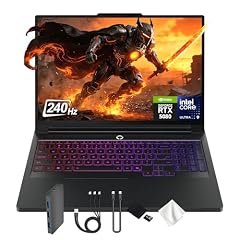
Lenovo Legion Pro 7i 16" WQXGA 240Hz Gaming Laptop
- CPU
- Intel Core Ultra 9 275HX
- GPU
- GeForce RTX 5080
- GPU memory
- 16 GB
- RAM
- 32 GB
- Storage
- 4000 GB
- Screen
- 16 in
- Refresh
- 240 Hz
- Weight
- 2.57 kg
$4,949.00 price as of 2026-10-10 04:22 UTC (Details)
This Lenovo ranks after the 64GB picks because it has 32GB RAM, while still tying for the most graphics memory at 16GB. It states 4TB of storage, tied for the largest in the list, and a 240Hz refresh rate on a 16-inch screen. The listing also states 2.57 kg.
Pros
- 4TB of stated storage, tied for the largest here
- 16GB of graphics memory, tied for the most in this list
- 240Hz refresh rate on a 16-inch screen
- Windows 11 Pro as stated
Cons
- 32GB of RAM, less than the 64GB picks
- 2.57 kg stated weight is heavier than the 1.76 kg pick
Good fit if
- A player who prioritizes a large stated game library capacity
- A player who wants 16GB of graphics memory with 240Hz
Skip if
- A player who wants the most RAM in the guide should look at the 64GB picks
- A player who wants a lighter stated laptop should look at the 1.76 kg pick
Verdict: The Lenovo Legion Pro 7i offers the largest stated storage tier with the most graphics memory tier, at 32GB of RAM.
5 300Hz refresh rate and the lightest here

ASUS ROG Strix G16
- CPU
- Intel Core Ultra 9 290HX
- GPU
- GeForce RTX 5080
- RAM
- 32 GB
- Screen
- 16 in
- Refresh
- 300 Hz
- Weight
- 1.76 kg
- OS
- Windows 11 Home
$3,899.99 price as of 2026-10-10 04:20 UTC (Details)
This ASUS ranks here on the ordering rule after the leading graphics memory group because it ties on 32GB RAM but states a 300Hz refresh rate, the highest in the list. It also states the lightest weight at 1.76 kg. The 16-inch screen and 32GB RAM make it a distinctive pick within the shortlist.
Pros
- 300Hz refresh rate, the highest in this list
- 1.76 kg stated weight, the lightest in this list
- 32GB of RAM
- Windows 11 Home as stated
Cons
- Graphics memory is not stated by the seller
- Storage is not stated by the seller
Good fit if
- A competitive player who wants the highest refresh rate available here
- A player who wants the lightest stated laptop in this guide
Skip if
- A player who wants a stated graphics memory amount should look at picks that state 16GB
- A player who needs a stated storage capacity should look at picks that list storage
Verdict: The ASUS ROG Strix G16 is the high-refresh, easy-to-carry pick even though it leaves some specs unstated.
6 32GB RAM and a 240Hz QHD+ screen
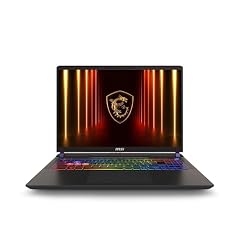
msi Vector 16 HX AI 16” 240Hz QHD+ Gaming Laptop
- CPU
- Intel Core Ultra 9
- GPU
- GeForce RTX 5080
- RAM
- 32 GB
- Storage
- 2000 GB
- Screen
- 16 in
- Refresh
- 240 Hz
- Weight
- 2.7 kg
- OS
- Windows 11 Pro
$2,849.00 price as of 2026-10-10 04:22 UTC (Details)
This MSI Vector 16 HX AI ties on 32GB RAM and a 240Hz refresh rate with several other picks, and the listing states 2TB of storage and Windows 11 Pro. It ranks after the ASUS because the ASUS has a higher stated refresh rate. The stated weight of 2.7 kg is unchanged from other MSI Vector entries.
Pros
- 32GB of RAM
- 240Hz refresh rate on a 16-inch screen
- 2TB of stated storage
- Windows 11 Pro as stated
Cons
- 2.7 kg stated weight is among the heavier picks here
- Graphics memory is not stated by the seller
Good fit if
- A player who wants a 240Hz 16-inch screen with 32GB of RAM
- A player who wants Windows 11 Pro and 2TB of stated storage
Skip if
- A player who wants a stated graphics memory amount should look at the 16GB picks
- A player who wants a lighter laptop should look at the 1.76 kg pick
Verdict: This MSI Vector 16 HX AI is a solid 32GB, 240Hz RTX 5080 option with 2TB of storage.
7 2TB storage with a 240Hz QHD+ screen
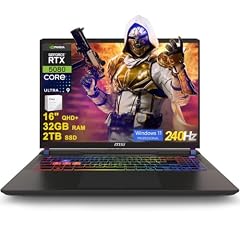
msi Vector 16 HX AI Gaming Laptop 16" QHD+ IPS 240Hz Intel 24-core Ultra
- CPU
- Intel Core Ultra 9 275HX
- GPU
- GeForce RTX 5080
- GPU memory
- 16 GB
- RAM
- 32 GB
- Storage
- 2000 GB
- Screen
- 16 in
- Refresh
- 240 Hz
- OS
- Windows 11 Pro
$2,939.23 price as of 2026-10-10 04:22 UTC (Details)
This MSI Vector sits with the other 32GB, 240Hz picks, and it states 16GB of graphics memory and 2TB of storage. It ranks after the similar MSI Vector because the pool file lists it later. The stated weight is 2.7 kg and the operating system is Windows 11 Pro.
Pros
- 32GB of RAM
- 16GB of stated graphics memory
- 240Hz refresh rate on a 16-inch screen
- 2TB of stated storage
Cons
- 2.7 kg stated weight is among the heavier picks here
- Screen size is 16 inches, not larger than several other picks
Good fit if
- A player who wants 32GB of RAM and 16GB of stated graphics memory
- A player who wants a 240Hz screen with 2TB of storage
Skip if
- A player who wants the highest refresh rate in the list should look at the 300Hz pick
- A player who wants 64GB of RAM should look at the 64GB picks
Verdict: This MSI Vector 16 HX AI is a well-balanced 32GB RTX 5080 pick with stated 16GB graphics memory.
8 1TB storage with a 240Hz WQXGA screen

msi Vector 16 HX AI 400 Gaming Laptop
- CPU
- Intel Core Ultra 9
- GPU
- RTX 5080
- GPU memory
- 16 GB
- RAM
- 32 GB
- Storage
- 1000 GB
- Screen
- 16 in
- Refresh
- 240 Hz
- Weight
- 2.7 kg
$2,809.00 price as of 2026-10-10 04:22 UTC (Details)
This MSI Vector 16 HX AI 400 closes the list with 32GB of RAM, 16GB of stated graphics memory and a 240Hz refresh rate. It is ordered last because the pool file lists it after the other picks. Its 1TB storage is the smallest stated capacity in this guide, and the weight is stated at 2.7 kg.
Pros
- 32GB of RAM
- 16GB of stated graphics memory
- 240Hz refresh rate on a 16-inch screen
- Windows 11 is the operating system family stated by the listing
Cons
- 1TB of stated storage is the smallest in this list
- 2.7 kg stated weight is among the heavier picks here
Good fit if
- A player who wants 32GB of RAM and 16GB of stated graphics memory
- A player who is willing to start with 1TB of storage
Skip if
- A player who wants a larger stated storage capacity should look at the 2TB or 4TB picks
- A player who wants a lighter laptop should look at the 1.76 kg pick
Verdict: The MSI Vector 16 HX AI 400 is a capable 32GB RTX 5080 entry with the smallest storage in this guide.
Side by side
| # | Laptop | CPU | GPU | GPU memory | Rentable GPU model | RAM | Storage |
|---|---|---|---|---|---|---|---|
| 1 | Lenovo Legion Pro 7i Gen 10 16" Gaming Laptop | Intel Core Ultra 9 275HX | GeForce RTX 5080 | 16 GB | not stated | 64 GB | 2000 GB |
| 2 | msi Vector A16 HX 16" QHD+ 240Hz Gaming Laptop | AMD Ryzen 9 8940HX | GeForce RTX 5080 | 16 GB | not stated | 64 GB | 2000 GB |
| 3 | msi Vector 16 HX AI 16" QHD+ 240Hz Gaming Laptop | Intel Core Ultra 9 275HX | GeForce RTX 5080 | 16 GB | not stated | 64 GB | 4000 GB |
| 4 | Lenovo Legion Pro 7i 16" WQXGA 240Hz Gaming Laptop | Intel Core Ultra 9 275HX | GeForce RTX 5080 | 16 GB | not stated | 32 GB | 4000 GB |
| 5 | ASUS ROG Strix G16 | Intel Core Ultra 9 290HX | GeForce RTX 5080 | not stated | not stated | 32 GB | not stated |
| 6 | msi Vector 16 HX AI 16” 240Hz QHD+ Gaming Laptop | Intel Core Ultra 9 | GeForce RTX 5080 | not stated | not stated | 32 GB | 2000 GB |
| 7 | msi Vector 16 HX AI Gaming Laptop 16" QHD+ IPS 240Hz Intel 24-core Ultra | Intel Core Ultra 9 275HX | GeForce RTX 5080 | 16 GB | not stated | 32 GB | 2000 GB |
| 8 | msi Vector 16 HX AI 400 Gaming Laptop | Intel Core Ultra 9 | RTX 5080 | 16 GB | not stated | 32 GB | 1000 GB |
How we picked
This guide compares 8 RTX 5080 gaming laptops from the pool of 21 priced listings that matched the filter: listings whose graphics card is named RTX 5080 and that state 16GB of RAM or more. Near-duplicate configurations were folded into this shortlist. The picks are ordered by stated graphics memory first, then by stated RAM, then by screen refresh rate, with ties broken by the order in the pool file. All choices are compared on the specifications stated in each listing and on live prices. The guide does not use or measure the laptops, so no performance, battery or noise claims are made.
How to choose
What the graphics card and its memory decide
The RTX 5080 is the graphics card named in every listing in this guide. In a gaming laptop, the graphics card does most of the work of drawing a game, and the amount of graphics memory limits how large and detailed the scenes and textures it can hold. In this list, 7 of the 8 picks state 16GB of graphics memory, while the ASUS ROG Strix G16 leaves the amount unstated. If you want the stated maximum graphics memory, look at the picks that list 16GB.
Refresh rate: what the screen can redraw
The refresh rate is how many times per second the screen can redraw. Higher refresh rates are the screen spec that competitive players look for, because a screen that redraws more often can show fast motion with less visible tearing when the game delivers enough frames. In this list, 7 picks state a 240Hz refresh rate, while the ASUS ROG Strix G16 states 300Hz. A laptop only benefits from a high refresh rate when the game itself delivers that many frames per second.
RAM when the game, voice chat and a stream run together
RAM gives room for the game, a launcher, a browser, voice chat and a stream or capture program to be open together. In this shortlist, 3 picks state 64GB of RAM and 5 state 32GB. If you regularly keep many programs open while you play, 64GB gives more headroom. If you prefer to close everything except the game, 32GB is the lower stated tier in this guide.
Screen size and weight when the laptop travels
A larger screen shows more of the game, but a lighter laptop is easier to carry to a LAN event or between rooms. All 8 picks in this guide state a 16-inch screen. Weight is stated for 5 of the 8 picks: the ASUS ROG Strix G16 is the lightest at 1.76 kg, while the MSI Vector models each state 2.7 kg and the Lenovo Legion Pro 7i states 2.57 kg. The remaining two Lenovo picks do not state a weight.
Operating system and storage
Most picks in this guide state Windows 11 Pro, while the ASUS ROG Strix G16 states Windows 11 Home. Both are versions of Windows 11. Storage is the room for a game library. In this list, two picks state 4TB, three state 2TB, one states 1TB and two do not state storage. A larger stated storage capacity matters if you expect to keep many large games installed at once.
Questions
Does this guide cover frame rates, fan noise or battery life?
No. The catalogue used for this guide provides the stated specifications and live prices of each laptop, but it does not include measured performance, frame rates, fan noise, battery life or thermals. This site does not guess at those results. The guide compares RTX 5080 gaming laptops on stated specifications such as RAM, graphics memory, refresh rate, screen size, storage and weight, plus live prices.
Why does the guide include more than one MSI Vector 16 HX AI?
The pool matched several MSI Vector 16 HX AI listings with the RTX 5080 and at least 16GB of RAM. Each listing states different combinations of memory, storage and graphics memory details. The guide keeps the distinct configurations because they differ on stated specifications. They are ordered together by the guide rule, and the differences in RAM, storage and stated graphics memory are called out in each pick.
What does 16GB of graphics memory mean for a gaming laptop?
Graphics memory is the memory on the graphics card that holds the textures, geometry and other data the game draws. More graphics memory lets the card hold larger and more detailed scenes and textures. In this guide, 7 of the 8 picks state 16GB of graphics memory, while one pick does not state an amount. The guide does not claim what a game will run at, only what the listings state.
Is a 300Hz screen always better than a 240Hz screen?
A 300Hz screen can redraw up to 300 times per second, while a 240Hz screen can redraw up to 240 times per second. Higher refresh rates are the screen spec that competitive players look for, but the benefit appears only when the game itself delivers enough frames per second. This guide does not report frame rates for any game, so the choice between 300Hz and 240Hz should be based on the stated screen spec and your own play.
Why does the guide order picks by graphics memory, RAM and refresh rate?
The guide uses a consistent rule: picks are ordered by stated graphics memory first, then by stated RAM, then by screen refresh rate, with ties broken by the order in the pool file. Price is not part of the ordering rule, and the guide does not rank by value or popularity. This keeps the order based on specifications that a player can compare from the catalogue.
Should I choose the pick with the most storage?
Storage is the room for a game library, so a larger stated capacity can be useful if you keep many games installed. Two picks in this guide state 4TB, three state 2TB, one states 1TB and two do not state storage. Storage alone does not determine how a laptop compares on graphics memory, RAM or refresh rate. Choose based on the set of stated specs that matters most for the games you play and the programs you run.
Recent updates
- : First published.